Setup guides
How to add an email signature in Outlook.
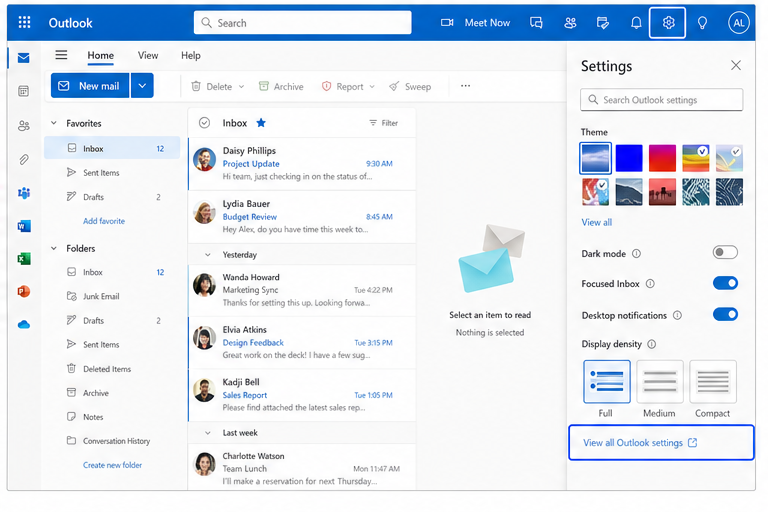
Add your signature to the new Outlook or Outlook on the web. Follow the real desktop steps below, then send yourself a test message.
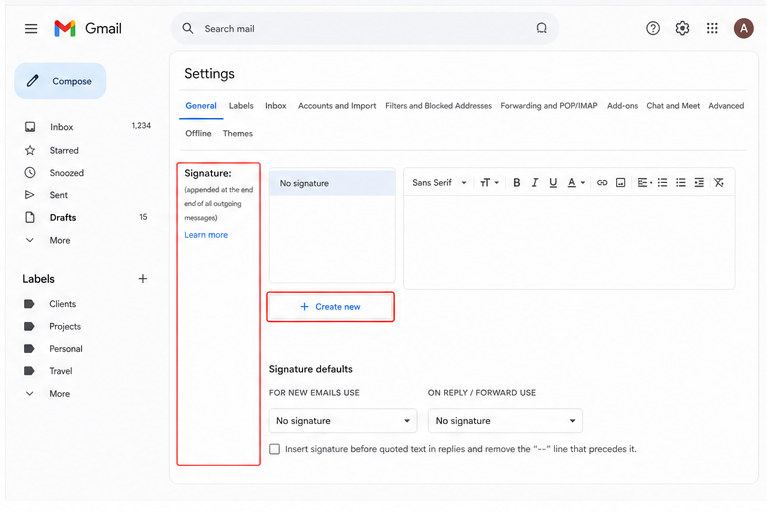
Using Gmail instead? View Gmail setup →
The menu looks different?
Some Outlook accounts still show Mail → Compose and reply. The signature editor and default options are on that page.
The signature is not added automatically?
Return to Signatures and select it for both new messages and replies or forwards, then save again.